Customizable Map-Based Ring Menu for RPG Maker MZ
A downloadable tool
Map Ring Menu
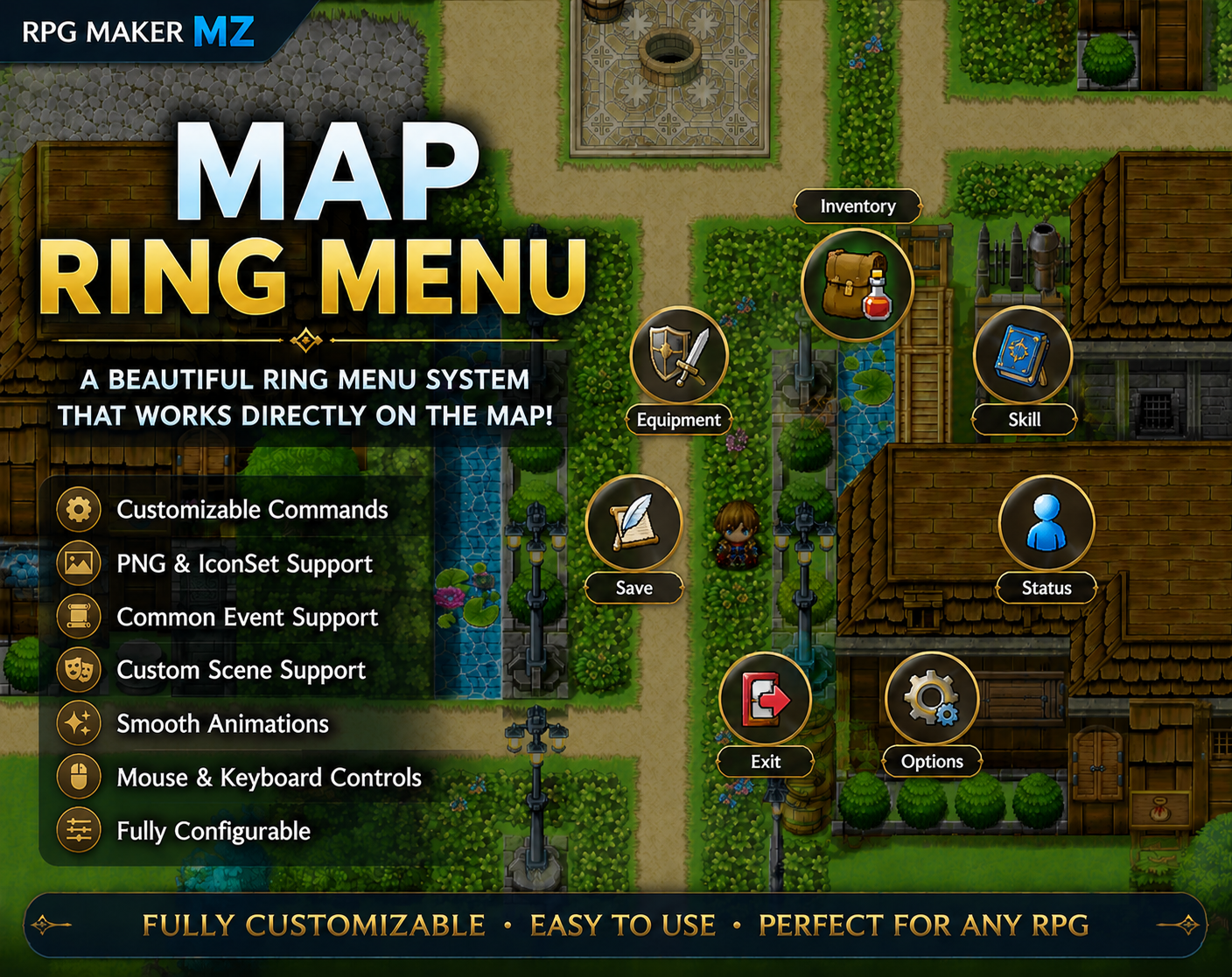
A customizable map-based ring menu system for RPG Maker MZ.
Display commands around the player in a circular layout and access menus without interrupting gameplay.
Features
- Runs directly on Scene_Map
- Customizable command list
- PNG Icon Support
- RPG Maker IconSet Support
- Common Event Support
- Custom Scene Support
- Ring Menu State Restoration
- Smooth Open / Close Animations
- Smooth Rotation Animation
- Optional Background Dimming
- Mouse & Keyboard Controls
- Player Movement Locking
- Plugin Parameter Configuration
- No Coding Required
Perfect For
- Action RPGs
- ABS Projects
- Adventure Games
- Open World Games
- Quest Systems
- Custom UI Projects
Compatibility
✔ RPG Maker MZ
✔ PNG Icons
✔ IconSet Icons
✔ Common Events
✔ Custom Scenes
✔ Mouse & Keyboard Support
PNG Icon Setup
Default PNG icon folder:
/img/system/MenuIcons/
Important:
PNG icons should be placed in the folder above when using the default plugin configuration.
If you use a different folder, update the Icon Folder parameter accordingly.
Important:
When using PNG Icon Mode, the icon folder must contain:
None.png
This file is used as the default icon for commands that do not have a PNG icon assigned.
Important: Do not rename the plugin file.
Guide
1. IconSet Mode
2. PNG Mode
3. Common Event
4. Custom Scene
License
- This plugin may be used in both personal and commercial RPG Maker projects.
- Credit is appreciated but not required.
- Redistribution of the plugin itself is prohibited.
- Resale of the plugin, whether modified or unmodified, is prohibited.
- Sharing the plugin files with others is prohibited.
- The source code is obfuscated to protect the plugin's intellectual property and prevent unauthorized redistribution.
- The author is not responsible for any damages caused by the use of this plugin.
Download
Click download now to get access to the following files:
Development log
- Ken Map Ring Menu v1.03 Update14 days ago
- Ken Map Ring Menu v1.02 Update27 days ago
- 🛠 Ken Map Ring Menu v1.01 Update35 days ago
Comments
Log in with itch.io to leave a comment.
Hi! I have tried it and it works perfect! This is much appreciated! Is it possible to call the ring menu via script call? Or another way to exit the Ring Menu using other button than the Cancel, Esc or Right Click?
Hi! I’m glad to hear it’s working well.
This plugin was originally something I made just for my own use, so I was honestly a little worried when I decided to release it publicly.
From your feedback, it sounds like you’d like to open the ring menu via events and also expand the key mapping for closing the menu. I’ll look into adding those features along with some other improvements I’m currently working on.
I can’t promise an exact timeline, but I’ll review your feedback as soon as possible.
Thank you for the great suggestion!
🎉 v1.01 Update
Link
Thank you so much! Everything works perfectly!
Thank you for testing the update!
I'm really glad to hear everything is working perfectly. Your feedback was very helpful and directly contributed to this update.
If you run into any issues or have more suggestions in the future, feel free to leave a comment anytime 🙂
Hello, Mr. Ken! I've run into another issue: The Ring menu will open if I press the Esc button on cutscenes and other gameplay moments that I DONT want that to happen. I think an option to disable the ring menu opening with the "Esc" button would work? So that way it will only open and close with my custom keys and I can control through eventing if the player can open or close the ring menu. I've tried using Control Menu Access (RPG Maker Event Command window) set to Disable, but that won't work (it looks like that doesn't affect Ring Menu at all). I hope you are having a great weekend!
Hello again, and thank you for the detailed feedback!
I understand the issue now. Since the plugin currently handles menu input separately from RPG Maker MZ’s default menu system, the built-in “Control Menu Access” command does not affect the ring menu.
Your suggestion makes a lot of sense, especially for cutscenes or event-heavy gameplay where menu access needs to be tightly controlled.
I think adding an option to disable opening the ring menu via the default Esc/Menu key (while allowing only custom keys or script/event calls) would be a useful improvement. I’ll also look into supporting RPG Maker’s native menu access control.
Since I have my main work to focus on as well, I can’t promise an exact schedule, but I’ll review and aim to address this issue for release within this week.
Thank you again for the thoughtful feedback, and I hope you’re having a great weekend as well!
This plugin was originally created as an experimental project, but after further refinement, it has been released for free.
I hope it proves helpful to someone. If you have any feedback, please leave a comment.
Thank you.